
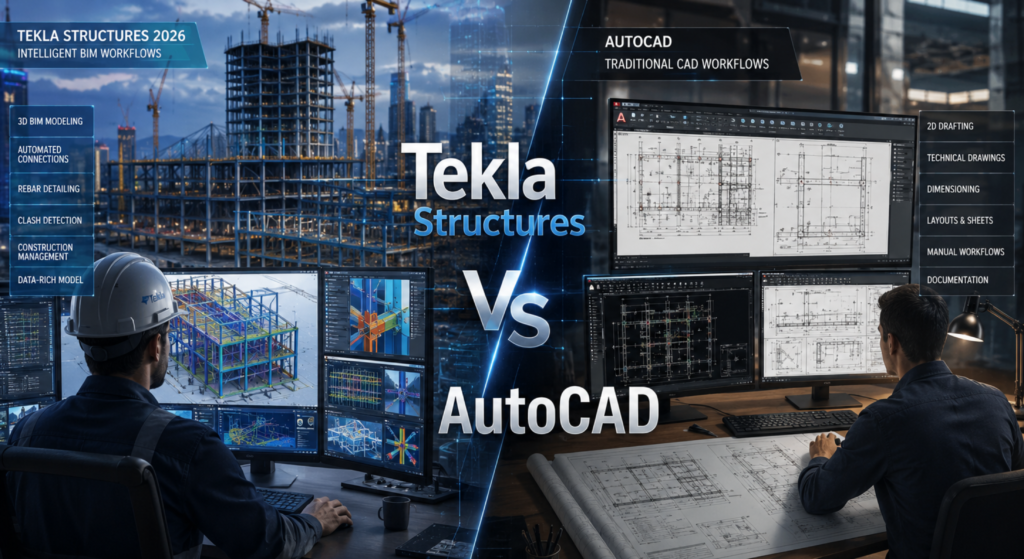
Tekla Structures Vs AutoCAD Which Is Better For Structural Engineers?
is a question many civil engineers, BIM professionals, steel detailers and construction students ask.In 2026 as construction shifts to BIM, automation and digital management the need for structural engineering software grows.Companies now seek professionals who can make models create detailed drawings cut down on errors and improve teamwork.Two used software are Tekla Structures and AutoCAD.They are both important. Serve different needs.AutoCAD is mainly for 2D drafting and technical drawings.Tekla Structures is, for modeling, steel detailing, RCC detailing and project execution.Those looking for Tekla training often wonder which software offers opportunities.The right software can boost your career, salary and technical skills.Here we compare Tekla Structures. Autocad to help you choose.
What Is Tekla Structures?
Tekla Structures is a cool tool for people who design buildings and work with steel. It helps them make detailed pictures of what the building will look like. These pictures are like 3D models. They have all the information that the people building it will need.
Tekla Structures is used for a lot of things like:
- Steel structure detailing
- RCC detailing
- projects
- Precast structures
- Structural fabrication
- BIM coordination
One of the best things about Tekla Structures is that it has real information about every part of the building. This includes things like how big it’s what it is made of and how it is put together. Tekla Structures has all the details like bolt information and weld details and even the drawings for fabrication.
Students who want to learn how to use Tekla Structures properly often go to a Tekla Training Institute Nashik. They learn how to use the tool for projects and how to make the most of it. Tekla Structures is a powerful tool and learning how to use it can be really helpful, for people who want to work in this field. They get to learn about BIM workflows and how to model real projects in real time using Tekla Structures.
What Is AutoCAD?
AutoCAD is a popular software for making drawings. It is used by people all around the world. AutoCAD is mainly used for making 2D drawings and simple 3D models.
AutoCAD is often used for:
- 2D drafting
- Making floor plans
- Creating drawings
- Preparing layouts
- Making structural drawings
- Construction documentation
Even though AutoCAD is very good for making drawings it does not have some advanced features like BIM capabilities and detailed fabrication that you can find in Tekla Structures. AutoCAD is still a tool, for making civil, mechanical and architectural drawings.
Tekla Structures Vs AutoCAD: Major Differences
1. Technology and Workflow
Tekla Structures
Tekla uses BIM-based intelligent modeling. Every object contains real project information, making the workflow smarter and more automated.
AutoCAD
AutoCAD mainly focuses on drafting lines, shapes, and geometry. It is primarily a drawing-based software rather than a data-rich BIM platform.
Winner:
Tekla Structures
2. What is better for 3D Modeling
Tekla Structures
I think Tekla Structures is really good at making detailed 3D models of buildings and things. It can make all the drawings and files that engineers need. They can get shop drawings and other drawings and files like BOQ and NC files from the model.
AutoCAD
AutoCAD can do some 3D modeling. It is not as good, as Tekla Structures. It does not have all the parts and features that Tekla Structures has.
Winner:
Tekla Structures
3. Structural Detailing
Structural detailing is one of the strongest features of Tekla Structures.
Tekla Structures
- Automatic connection creation
- Smart steel detailing
- Reinforcement detailing
- Clash detection
- Fabrication-ready drawings
AutoCAD
Most detailing work in AutoCAD is manual, which increases drafting time and chances of errors.
Winner:
Tekla Structures
4. Ease of Learning
AutoCAD
AutoCAD is easier for beginners because of its simpler drafting interface.
Tekla Structures
Tekla requires more technical understanding because it involves BIM concepts, structural connections, and detailing standards.
However, joining a professional Tekla Course Institute can make learning easier through practical project-based training.
Winner:
AutoCAD for beginners
Tekla for advanced structural engineering
5. Industry Demand
The construction industry is rapidly shifting toward BIM and automation. Companies now prefer professionals who understand advanced BIM software and smart detailing workflows.
Tekla Structures
High demand in:
- Steel detailing companies
- BIM companies
- Industrial construction firms
- International structural projects
AutoCAD
Still widely used for drafting and basic documentation work.
Winner:
Tekla Structures
6. Drawing Accuracy
Tekla Structures
Because drawings are automatically generated from the 3D model, accuracy is extremely high.
AutoCAD
Since most drawings are manually drafted, human errors are more common.
Winner:
Tekla Structures
7. Salary and Career Opportunities
Professionals skilled in Tekla Structures generally receive better salary packages due to the growing demand for BIM and structural detailing experts.
Career Roles in Tekla
- BIM Modeler
- Steel Detailer
- Structural Detailer
- Tekla Modeler
- BIM Coordinator
Career Roles in AutoCAD
- CAD Draftsman
- CAD Designer
- Drafting Engineer
Students searching for the Best Tekla Institute In Nashik are often looking to build careers in advanced BIM and structural detailing industries where demand is increasing rapidly.
Which Software Should Structural Engineers Learn?
The answer depends on your career goals.
Choose AutoCAD If:
- You want to learn basic drafting
- You are a beginner in engineering software
- Your work mainly involves 2D drawings
Choose Tekla Structures If:
- You want a career in BIM and structural detailing
- You want to work on industrial and steel projects
- You want high-demand technical skills
- You want better career opportunities in structural engineering
For modern structural engineering projects, Tekla Structures is becoming the preferred choice because of its intelligent BIM workflow, automation, and fabrication-ready detailing capabilities.
Why Tekla Skills Are Important in 2026
The future of construction is fully connected with BIM technology. Structural engineering companies are moving toward digital construction workflows, cloud collaboration, and AI-assisted modeling systems.
Learning Tekla Structures from a professional Tekla Institute helps students gain practical experience in:
- Steel detailing
- BIM workflows
- Structural modeling
- Fabrication drawings
- Industrial project coordination
Students looking for career-focused BIM training can benefit greatly from joining a reputed Tekla Training Institute Nashik that provides live projects and industry-oriented practical sessions.
Conclusion
Tekla Structures and AutoCAD are two tools that people use in the construction business but they do different things.
Tekla Structures and AutoCAD are both useful in different ways. AutoCAD is good for making drawings and doing some engineering work. On the hand Tekla Structures is really good for making complicated models and getting all the details just right which is what modern structural engineers need to do their jobs. If you want to work with Tekla Structures and AutoCAD and have a career in structural engineering, steel detailing and BIM technology it is a good idea to learn Tekla Structures. Learning Tekla Structures can help you get a job and have more opportunities in the construction industry in 2026 and after that because Tekla Structures is an important tool, for structural engineers.